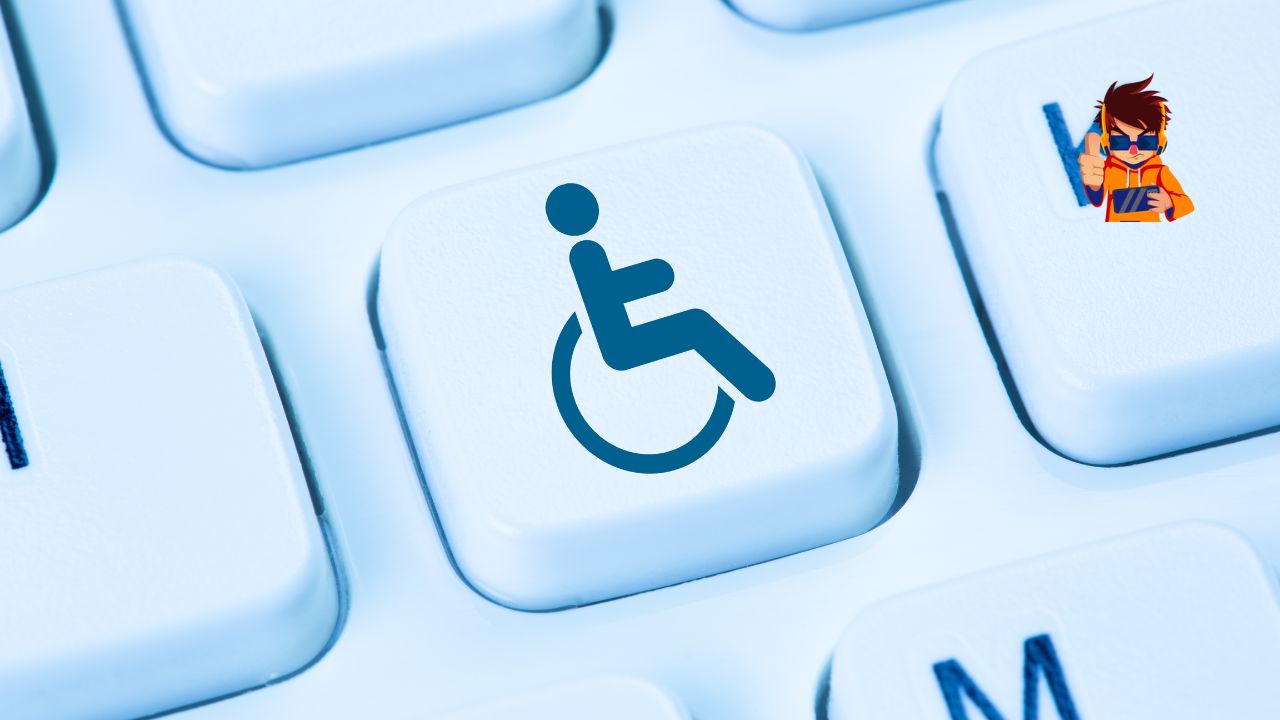
Website accessibility is no longer just a consideration—it’s a necessity. With the increasing digitalization of our world, ensuring that everyone, including people with disabilities, can access and use your website effectively is not just a legal obligation but also a business imperative. ADA (Americans with Disabilities Act) compliance sets the standards for making websites accessible, ensuring inclusivity for all users. In this article, we will explore why website accessibility and ADA compliance are essential for your business, the benefits of adhering to these guidelines, and how you can make your website more accessible.
What is Website Accessibility?
Website accessibility refers to the practice of designing and developing websites so that people of all abilities, including those with disabilities, can navigate, interact, and engage with your content. This includes individuals with visual, auditory, physical, speech, cognitive, and neurological disabilities. An accessible website ensures that every user, regardless of their abilities or disabilities, has an equitable experience.
Key principles of website accessibility include:
- Perceivability: Ensuring that information and user interface components are presented in ways that all users can perceive. This includes providing text alternatives for non-text content and making content adaptable.
- Operability: Designing website navigation and elements so they can be operated by a variety of means, including keyboard-only navigation.
- Understandability: Creating content that is clear and comprehensible, with predictable navigation.
- Robustness: Ensuring compatibility with current and future technologies, including assistive tools like screen readers.
These principles are fundamental to creating an inclusive web experience and form the foundation of accessibility standards such as the Web Content Accessibility Guidelines (WCAG).
Understanding ADA Compliance
ADA compliance refers to meeting the standards outlined in the Americans with Disabilities Act, a civil rights law enacted in 1990 that prohibits discrimination against individuals with disabilities in all areas of public life, including online spaces. While the ADA initially focused on physical spaces, recent legal interpretations have extended its reach to websites and digital environments.
For websites, ADA compliance means making your digital content accessible to everyone, regardless of disability. This can include adding captions to videos, ensuring your website can be navigated with a keyboard, and providing text descriptions for images. Failure to comply with ADA standards can lead to legal ramifications, including lawsuits and fines.
Key components of ADA-compliant websites:
- Accessible navigation: Ensuring that all users, including those using screen readers or keyboard navigation, can move through your site easily.
- Text alternatives: Providing alt text for images and captions for videos to support users with visual and auditory disabilities.
- Readable content: Ensuring that text is readable and understandable, with appropriate font sizes, contrast ratios, and clear layouts.
Legal Implications of ADA Non-Compliance
Failure to comply with ADA standards can have serious legal implications for businesses. Over the past decade, there has been a significant rise in lawsuits targeting companies with non-accessible websites, costing businesses millions of dollars in settlements and legal fees. These lawsuits argue that non-accessible websites violate the ADA by discriminating against users with disabilities.
Potential risks of non-compliance:
- Financial Penalties: Fines for non-compliance can be substantial, and legal battles are often costly and damaging to a company’s reputation.
- Reputation Damage: Beyond legal fees, businesses risk public backlash and a tarnished reputation, particularly if they are seen as being exclusionary or discriminatory.
- Loss of Customer Trust: Inaccessible websites can alienate potential customers, leading to a loss of business and a negative impact on customer loyalty.
Ensuring ADA compliance not only protects your business from legal challenges but also demonstrates a commitment to inclusivity and social responsibility.
Who Benefits from Accessible Websites?
While accessibility is often discussed in the context of helping individuals with disabilities, the benefits extend far beyond this group. Accessible websites improve the user experience for everyone, including those using mobile devices, people with temporary impairments, and even those in challenging environments (like bright sunlight or noisy locations).
Primary beneficiaries of accessible websites include:
- Individuals with Disabilities: The primary group that benefits, ensuring they can access, navigate, and engage with digital content without barriers.
- Older Adults: Accessibility features such as larger text and simplified navigation also assist older users who may have age-related impairments.
- Mobile Users: Many accessibility improvements, like improved contrast and larger touch targets, enhance usability on mobile devices.
- Businesses: Companies benefit from broader reach, improved customer satisfaction, and enhanced SEO (search engine optimization) when they make their websites accessible.
By designing with accessibility in mind, businesses can create a more inclusive digital environment that caters to the needs of all users.
Key Features of an Accessible Website
Creating an accessible website requires integrating several key features that address the diverse needs of users. These features not only help meet ADA compliance but also enhance the overall user experience.
Essential elements of an accessible website:
- Keyboard Accessibility: Ensuring that all functionalities are available via keyboard input, as some users cannot use a mouse.
- Screen Reader Compatibility: Structuring content in a way that screen readers can interpret correctly, using semantic HTML and ARIA (Accessible Rich Internet Applications) landmarks.
- High Contrast and Readable Text: Using sufficient color contrast between text and background to enhance readability, particularly for visually impaired users.
- Accessible Forms: Providing clear labels, instructions, and error messages to assist users when filling out forms.
- Multimedia Accessibility: Offering captions for videos, transcripts for audio content, and audio descriptions for visual media.
Implementing these features makes your website more accessible and user-friendly, contributing to better engagement and satisfaction.
The Business Case for Accessibility
Investing in website accessibility is not just a legal necessity—it also makes good business sense. Companies that prioritize accessibility can tap into a broader market, enhance their brand reputation, and achieve greater customer loyalty.
Business benefits of accessibility:
- Increased Market Reach: There are over one billion people globally with some form of disability. By making your website accessible, you open your business to a significant and often overlooked customer base.
- Enhanced Brand Reputation: Brands that are perceived as inclusive and socially responsible enjoy better public perception and customer loyalty.
- Improved Conversion Rates: Accessible websites are easier to navigate and use, leading to higher engagement, lower bounce rates, and improved conversion rates.
Accessibility is not just an ethical obligation; it is a strategic advantage that can drive business growth and success.
Enhancing User Experience
A key aspect of website accessibility is enhancing the overall user experience. Accessibility features make websites easier to use for everyone, not just those with disabilities. For example, clear navigation, well-structured content, and keyboard shortcuts benefit all users by providing a smoother and more intuitive experience.
Ways accessibility improves user experience:
- Simplified Navigation: Accessible design often includes streamlined navigation that helps all users find what they need quickly.
- Faster Load Times: Accessible sites are often optimized for speed, which benefits users who have slower internet connections or are using mobile data.
- Readable Content: Improved typography, larger text sizes, and high contrast make reading easier for all users, reducing strain and enhancing comprehension.
By focusing on accessibility, businesses can create a more enjoyable and effective user journey, leading to increased satisfaction and repeat visits.
SEO Benefits of Accessible Websites
An accessible website not only serves your users better but also performs better in search engine rankings. Many accessibility practices align closely with SEO best practices, making your site more discoverable by search engines like Google.
SEO advantages of accessibility:
- Improved Site Structure: Clear headings, descriptive alt text, and semantic HTML help search engines understand your content, improving indexing and ranking.
- Enhanced User Engagement: Accessible websites often see higher engagement rates, lower bounce rates, and longer session durations, all of which are positive signals for SEO.
- Better Mobile Performance: Mobile-friendly design, which overlaps with accessibility, ensures that your site meets Google’s mobile-first indexing standards.
By investing in accessibility, you enhance your website’s performance in search results, driving more organic traffic to your site.
Accessibility and Mobile Devices
As mobile usage continues to rise, ensuring that your website is accessible on smartphones and tablets is more important than ever. Mobile accessibility involves adapting content for smaller screens, touch navigation, and various input methods.
Mobile accessibility considerations:
- Responsive Design: Use responsive web design to ensure your site adjusts seamlessly to different screen sizes and orientations.
- Larger Touch Targets: Design buttons and links with adequate spacing and size to prevent accidental clicks.
- Voice Search Optimization: Adapt your content for voice search, which is increasingly popular among users with disabilities and mobile users.
Focusing on mobile accessibility not only meets the needs of users with disabilities but also caters to the growing number of mobile-first consumers.
Common Accessibility Barriers
To create an accessible website, it’s essential to identify and address common barriers that prevent users with disabilities from fully engaging with your content. These barriers can include poorly designed navigation, insufficient color contrast, and unlabelled buttons.
Common accessibility issues:
- Missing Alt Text: Images without descriptive alt text can be incomprehensible to visually impaired users relying on screen readers.
- Poor Contrast Ratios: Insufficient contrast between text and background can make reading difficult for users with visual impairments.
- Non-Accessible Forms: Forms without clear labels, instructions, or error messages can be challenging for screen reader users.
Regularly auditing your website for these and other barriers is crucial to maintaining accessibility and compliance.
Web Content Accessibility Guidelines (WCAG)
The Web Content Accessibility Guidelines (WCAG) are internationally recognized standards for web accessibility, developed by the World Wide Web Consortium (W3C). These guidelines provide a comprehensive framework for making web content more accessible to people with disabilities.
Overview of WCAG standards:
- WCAG 2.0: Introduced in 2008, this version set the foundational principles of accessibility, including perceivable, operable, understandable, and robust (POUR).
- WCAG 2.1: Released in 2018, this update added guidelines to improve accessibility for users with cognitive and learning disabilities, mobile users, and individuals with low vision.
- WCAG 2.2: Expected soon, this version will further refine and expand accessibility standards to meet evolving needs.
Adhering to WCAG guidelines helps ensure that your website meets ADA compliance and offers a better user experience.
Testing Your Website for Accessibility
Testing is a critical step in achieving and maintaining an accessible website. By regularly assessing your site’s accessibility, you can identify areas for improvement and ensure ongoing compliance with ADA standards.
Methods for accessibility testing:
- Automated Tools: Use tools like WAVE, Axe, and Lighthouse to quickly identify common accessibility issues.
- Manual Testing: Conduct manual tests, including keyboard navigation checks and screen reader reviews, to capture issues that automated tools might miss.
- User Testing: Involve users with disabilities in testing your site to gain real-world insights into its accessibility.
Combining these methods provides a comprehensive view of your website’s accessibility, helping you prioritize fixes and enhancements.
Designing for Screen Readers
Screen readers are essential tools for users with visual impairments, converting text and other elements into speech or braille. To ensure that your website works well with screen readers, you need to structure your content correctly and use semantic HTML.
Best practices for screen reader accessibility:
- Use Proper Headings: Ensure that headings are correctly nested (e.g., H1, H2, H3) to provide a logical structure for screen readers.
- Label All Interactive Elements: Include labels for buttons, links, and form fields so screen readers can accurately describe them to users.
- Avoid Empty Links: Ensure that all links have descriptive text to convey their purpose.
Designing with screen readers in mind ensures that your website is accessible and navigable for visually impaired users.
Keyboard Accessibility
For users who cannot use a mouse, keyboard accessibility is crucial. This includes people with motor disabilities, visual impairments, and those who prefer or need to use keyboard shortcuts.
Ensuring keyboard accessibility:
- Tab Order: Make sure the tab order follows a logical sequence that mirrors the visual layout of the page.
- Focus Indicators: Use visible focus indicators to show users where they are on the page when navigating with the keyboard.
- Skip Navigation Links: Include skip links that allow keyboard users to bypass repetitive navigation elements and jump directly to the main content.
Keyboard accessibility enhances usability for a broad range of users, making your site more inclusive.
Color Contrast and Visual Elements
Color contrast plays a significant role in accessibility, particularly for users with visual impairments or color blindness. Ensuring that text contrasts sufficiently with the background can significantly improve readability.
Tips for color contrast:
- Use High Contrast Ratios: Aim for a contrast ratio of at least 4.5:1 for normal text and 3:1 for large text.
- Avoid Relying on Color Alone: Use other visual cues, such as text labels or patterns, to convey information.
- Test with Color Blindness Simulators: Tools like Color Oracle can help you see your site through the eyes of color-blind users.
Attention to color contrast ensures that all users can engage with your content, regardless of visual ability.
Alt Text for Images
Alt text provides a textual description of images, allowing screen reader users to understand visual content. It is a critical component of web accessibility and should be used thoughtfully.
Creating effective alt text:
- Be Descriptive but Concise: Describe the essential elements of the image without going into unnecessary detail.
- Avoid Redundancy: Do not repeat information already provided in nearby text.
- Use Null Alt Text for Decorative Images: Use empty alt attributes (
alt="") for images that are purely decorative to avoid cluttering the screen reader experience.
Alt text ensures that all users, including those who cannot see the images, have access to the information conveyed by visuals.
Video Accessibility
Videos are an engaging form of content, but they can present challenges for users with disabilities. Making videos accessible involves providing captions, transcripts, and audio descriptions.
Essential video accessibility features:
- Closed Captions: Include captions for all spoken content and sound effects to assist users who are deaf or hard of hearing.
- Transcripts: Provide text transcripts of audio content, which can also aid users with cognitive disabilities.
- Audio Descriptions: Include audio descriptions for visual elements that are important to understanding the video’s content.
Accessible video content broadens your audience and enhances the inclusivity of your digital presence.
Accessible Forms and Navigation
Forms are a critical interaction point on many websites, and making them accessible is essential for usability. Proper labeling, clear instructions, and logical navigation are key to creating accessible forms.
Best practices for accessible forms:
- Label Elements Clearly: Use visible labels for all input fields, ensuring that they are correctly associated with their corresponding fields.
- Provide Error Messages: Offer clear, specific error messages and guidance on how to fix mistakes.
- Logical Tab Order: Ensure that users can navigate forms logically using the keyboard.
Accessible forms improve user satisfaction and reduce barriers to completing key tasks like sign-ups or purchases.
The Role of ARIA (Accessible Rich Internet Applications)
ARIA provides a way to enhance the accessibility of complex web applications, making them more usable for people who rely on assistive technologies like screen readers. ARIA attributes add additional information to HTML elements, making dynamic content more accessible.
How ARIA enhances accessibility:
- Landmarks and Regions: Define page regions (e.g., banner, navigation, main content) to help screen readers navigate complex layouts.
- Live Regions: Notify users of updates to content that changes dynamically, such as notifications or alerts.
- Role Descriptions: Clarify the purpose of interactive elements, ensuring that screen readers can accurately convey their function to users.
Implementing ARIA effectively enhances the accessibility of interactive and dynamic web content.
Building an Accessibility-Focused Culture
Creating an accessible website is not just a one-time project—it’s an ongoing commitment. Cultivating an accessibility-focused culture within your organization helps ensure that accessibility remains a priority in all digital initiatives.
Promoting accessibility within your organization:
- Training and Education: Provide training for your team on accessibility best practices and the importance of ADA compliance.
- Incorporate Accessibility into Development Processes: Integrate accessibility checks into your design, development, and QA processes.
- Seek Feedback from Users with Disabilities: Engage with users who have disabilities to gain insights into their needs and experiences.
Fostering a culture of accessibility ensures that your organization consistently delivers inclusive digital experiences.
How to Choose an Accessibility Consultant
If you’re new to web accessibility or facing complex compliance challenges, hiring an accessibility consultant can provide the expertise and guidance you need. A qualified consultant can help you audit your site, identify issues, and develop a roadmap to achieve compliance.
Tips for choosing an accessibility consultant:
- Look for Proven Experience: Select consultants with a track record of successful accessibility projects.
- Check Certifications: Verify that the consultant has relevant certifications, such as Certified Professional in Accessibility Core Competencies (CPACC).
- Evaluate Their Approach: Choose a consultant who provides a clear, collaborative approach to solving accessibility challenges.
Working with an expert can accelerate your journey to compliance and help you avoid common pitfalls.
Future Trends in Website Accessibility
Website accessibility is an evolving field, with new technologies and standards continuously shaping the landscape. Staying informed about future trends can help your business stay ahead of compliance requirements and deliver the best possible user experience.
Emerging trends in accessibility:
- AI and Machine Learning: AI-driven tools are increasingly being used to identify accessibility issues and automate solutions.
- Voice User Interfaces: As voice-activated devices become more common, designing websites with voice navigation in mind will become more important.
- Focus on Cognitive Accessibility: Future accessibility standards will place greater emphasis on supporting users with cognitive and learning disabilities.
Embracing these trends will ensure that your website remains accessible and inclusive as new challenges and opportunities emerge.
FAQs About Website Accessibility
What is ADA compliance for websites?
ADA compliance ensures that websites are accessible to people with disabilities, following standards set by the Americans with Disabilities Act.
Why is website accessibility important?
Accessibility allows people of all abilities to use your site, improving user experience, expanding your audience, and reducing legal risks.
How can I make my website accessible?
Start by following WCAG guidelines, conducting accessibility audits, and implementing changes like adding alt text, improving navigation, and ensuring keyboard accessibility.
What are the legal consequences of not having an accessible website?
Non-compliance with ADA standards can lead to lawsuits, fines, and significant reputational damage for your business.
Can accessibility improvements help SEO?
Yes, many accessibility practices, such as using proper headings, descriptive links, and clean site structure, also improve SEO by making content more understandable to search engines.
How do I test my website for accessibility?
Use a combination of automated tools, manual testing, and user testing with individuals who have disabilities to assess your site’s accessibility.
Conclusion
Website accessibility and ADA compliance are essential components of a modern, inclusive digital strategy. By prioritizing accessibility, businesses not only meet legal obligations but also demonstrate a commitment to inclusivity, improve user experience, and tap into new markets. Investing in accessibility is not just about avoiding legal risks; it’s about building a better, more inclusive web for everyone. Embrace accessibility today and make your website a place where all users feel welcome and valued.